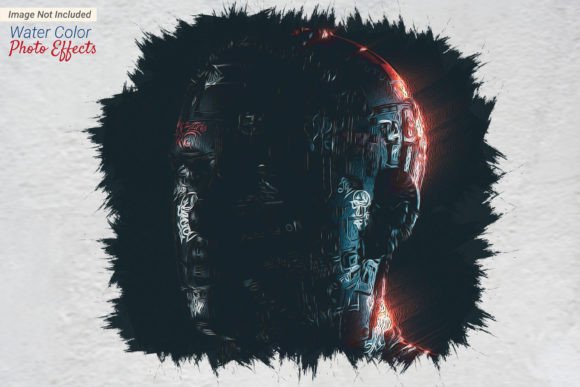
Watercolor Painting Photo Effects Guide
Transforming a standard digital photograph into a piece that mimics the fluid, organic beauty of hand-painted art is no longer reserved for master painters with decades of training. Watercolor painting photo effects offer a bridge between photography and traditional illustration, allowing users to soften harsh lines, blend colors naturally, and evoke a sense of nostalgia or dreamlike quality. Whether you are looking to refresh your social media presence, create unique marketing materials, or simply explore a new creative hobby, understanding how these effects work can significantly enhance your visual storytelling.
The appeal of this style lies in its imperfection. Unlike the crisp precision of high-resolution digital images, watercolor art embraces bleeding edges, paper texture, and translucent layers. When applied correctly through digital tools, these effects can turn a mundane snapshot into an emotive piece of design. However, the approach to achieving this look varies drastically depending on who you are and what you need the final image to accomplish.
Why Different Creators Choose Watercolor Styles
The decision to use watercolor painting photo effects is rarely just about aesthetics; it is often driven by specific functional goals. For a small business owner, the priority might be brand differentiation. In a sea of polished, corporate stock photography, a watercolor-styled image feels approachable, artisanal, and human. It suggests care and craftsmanship, which can be invaluable for boutiques, bakeries, or handmade goods sellers.
Conversely, a professional graphic designer might evaluate these effects based on flexibility and integration. They are not just looking for a pretty picture; they need assets that can be layered, masked, and adjusted within a larger composition. For them, the value lies in non-destructive editing capabilities and the ability to tweak opacity, blending modes, and color balances after the effect has been applied.
Educators and bloggers often seek these effects for their ability to simplify complex visuals. By softening the background details of a photograph while keeping the subject distinct, watercolor effects can guide the viewer’s eye to the most important information. This makes them ideal for tutorial headers, ebook covers, or educational slides where clarity and engagement are paramount.
Navigating File Formats: Photoshop vs. JPG
One of the most critical technical considerations when working with these effects is the file format you choose to work with. The difference between a Photoshop File and a Jpg File is not merely about size; it is about control and future-proofing your work.
A JPG file is a flattened, compressed image. It is perfect for final delivery—posting to Instagram, embedding in a blog post, or sending to a client for quick approval. It is universally compatible and lightweight. However, once an effect is baked into a JPG, it is permanent. You cannot easily adjust the intensity of the watercolor bleed, change the paper texture, or isolate specific elements later. If you realize the blue tones are too saturated, you must start over or apply broad, potentially damaging corrections.
In contrast, a Photoshop File (PSD) preserves the layer structure. High-quality watercolor effect resources often come as PSDs with smart objects. This means you can drag and drop your photo into a designated layer, and the software automatically applies the complex filters, textures, and brush strokes. Because the original photo remains intact on a separate layer, you can swap it out instantly without reconfiguring the entire effect. For professionals and serious hobbyists, this workflow saves hours of trial and error. It allows for experimentation without risk, ensuring that the final output meets exact specifications.
Practical Applications Across Skill Levels
Understanding your own skill level and project requirements helps determine how you should engage with these tools. Here is how different users might approach the same technology:
- Beginners and Hobbyists: If you are new to digital art, start with pre-made actions or templates. Look for resources that promise "one-click" results. Your goal is likely immediate gratification and learning basic concepts like layering. Focus on how the effect changes the mood of family photos or travel snapshots. Do not worry about mastering manual brush techniques yet; let the software do the heavy lifting while you develop an eye for composition.
- Freelancers and Marketers: Speed and consistency are your currencies. You need watercolor painting photo effects that can be batch-processed or quickly adapted to different brand colors. Prioritize PSD templates that allow you to save your own color swatches. Use these effects to create cohesive campaign visuals that stand out in email newsletters or social feeds. Ensure the resolution is high enough for print if you are designing flyers or brochures.
- Fine Artists and Illustrators: For this group, digital effects are often a starting point, not the end product. You might use a watercolor filter to generate a base texture, then paint over it manually to add personal touches. The value here is in the hybrid workflow. Use the digital effect to establish the light and shadow structure, then refine the edges with a stylus to reintroduce the human element that pure algorithms sometimes miss.
Evaluating Quality and Authenticity
Not all digital watercolor effects are created equal. Poorly designed filters can make images look muddy, overly pixelated, or artificially "smudged." To ensure high-quality results, look for effects that incorporate real-world textures. Authentic watercolor art relies on the grain of the paper and the way pigment pools at the edges of wet areas. High-end digital assets will include separate layers for paper texture, water rings, and pigment granulation.
When testing a new effect, pay attention to skin tones if you are working with portraits. Bad filters often distort natural colors, turning faces unnaturally red or gray. A good effect should preserve the integrity of the subject while transforming the environment. If you are using a Photoshop File, check if the creator has included adjustment layers for hue and saturation. This flexibility is a hallmark of professional-grade resources.
Making the Right Choice for Your Project
Before downloading or purchasing any asset, ask yourself three questions: What is the final output medium? How much time do I have? Do I need to edit this later?
If you are printing a large canvas for your home, a simple JPG may not suffice due to compression artifacts. You will need the high-resolution source files found in PSD packages. If you are posting a quick story update, a pre-rendered JPG effect might be perfectly adequate and far more efficient. For entrepreneurs building a brand identity, investing in customizable Photoshop files pays off in the long run by providing a consistent visual language across all platforms.
Ultimately, watercolor painting photo effects are tools for expression. They allow us to see the ordinary through a softer, more artistic lens. By matching the right file format and technique to your specific needs, you can elevate your visual content without needing to pick up a physical brush. Whether you are seeking efficiency, creativity, or commercial appeal, there is a digital watercolor solution that fits your workflow.